Four steps to delete your account
The entire process takes less than a minute, directly from inside the app.
-
Open Cosmic DriftLaunch the app on your Android device. Make sure you're signed in to the account you want to delete — Google Sign-In accounts will require an active session.
-
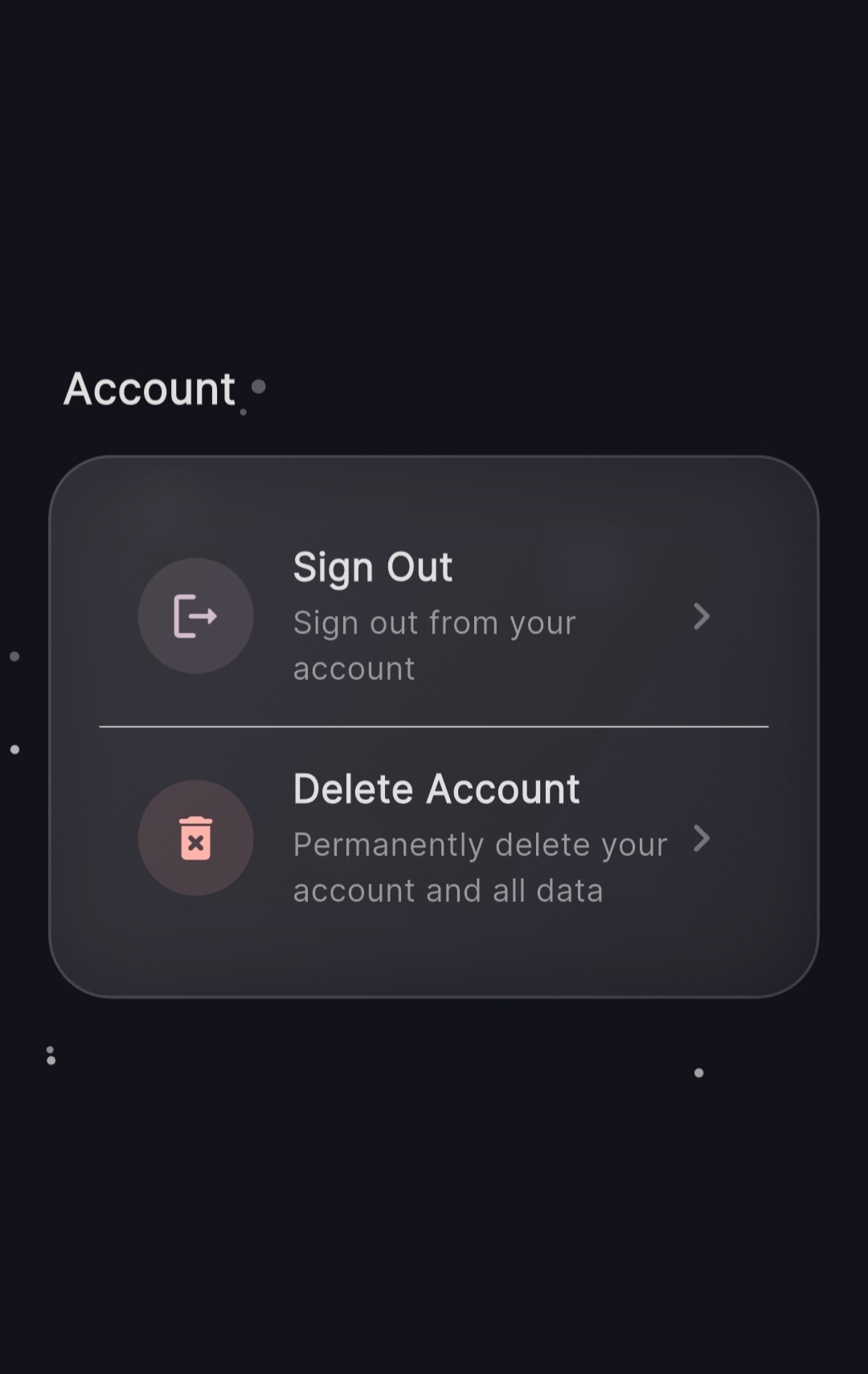
Go to SettingsFrom the main menu, tap the Settings icon in the top corner. Scroll down to the Account section at the bottom of the settings panel.
-
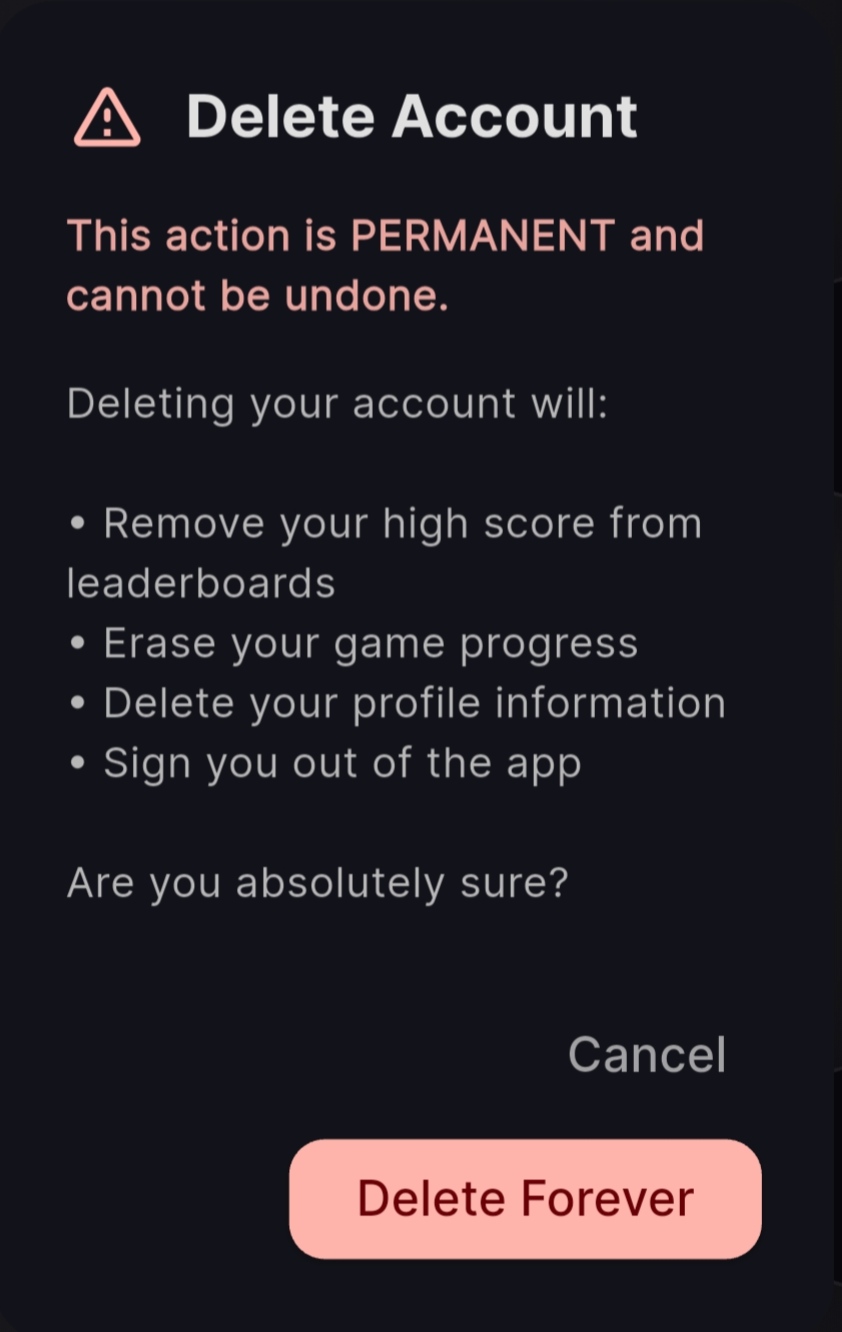
Select "Delete Account"Tap the Delete Account option. A full-screen confirmation dialog will appear listing exactly what will be removed — including your scores, game progress, and profile data.
-
Confirm the deletion requestReview the deletion summary carefully. Tap Delete Forever to confirm. Tapping Cancel will safely return you to Settings with no changes made.
The Account section in Settings gives you access to both Sign Out and Delete Account. The confirmation screen clearly lists every consequence before you can proceed — ensuring the decision is always intentional.
What gets deleted
When your account is deleted, the following data is permanently and irreversibly erased.
A note on temporary retention
In limited circumstances, some non-personal records may be held briefly before permanent removal.
Certain technical and non-personal records may be retained for a limited period where required by legal obligation, fraud prevention, security investigation, or system backup processes. These records do not contain your personal identity or gameplay data. They are automatically and permanently purged once the applicable retention period has elapsed.
Important notices
-
Deletion is permanent. Account deletion cannot be reversed once completed. Your data cannot be recovered by you or by Cosmic Forge Studios after the process is confirmed.
-
You'll be signed out. After deletion, you will be immediately signed out of the app on all devices. The app can still be used as a guest, but your scores will no longer sync to a global leaderboard.
-
You can create a new account later. Deleting your account doesn't prevent you from signing in with Google again in the future — you'll simply start fresh, with no prior progress or scores.
-
Non-personal retention is minimal. Any temporarily retained records are stripped of personal identifiers and exist solely for legal, security, or technical compliance purposes before automatic deletion.
Your data. Your control.
Cosmic Drift is built by Cosmic Forge Studios with user privacy as a first-class concern. We believe you should have full, straightforward control over your personal data — including the ability to delete it entirely, without friction.
We do not sell your data, share it with advertisers, or use it beyond what is necessary to operate the game and leaderboard. Our full data practices are outlined in our Privacy Policy.
If you encounter any issues or cannot complete the deletion process from within the app, our support team is here to help.